TL;DR
- Lead with a safe look at the switch listing. Do not pull the device until the circuit is isolated by a licensed electrician if you are not qualified. A missing neutral is a common category in older boxes, not a 2011 county rule.
- Three paths: pull a neutral ($325-$675, parked), use a switch listed for no-neutral, or use smart lamps. Match the selected switch’s listing.
- NEC/CEC dates for required neutrals at switch boxes are jurisdiction adoption questions. Confirm the edition the inspector uses.
- Pull-neutral prices stay parked.
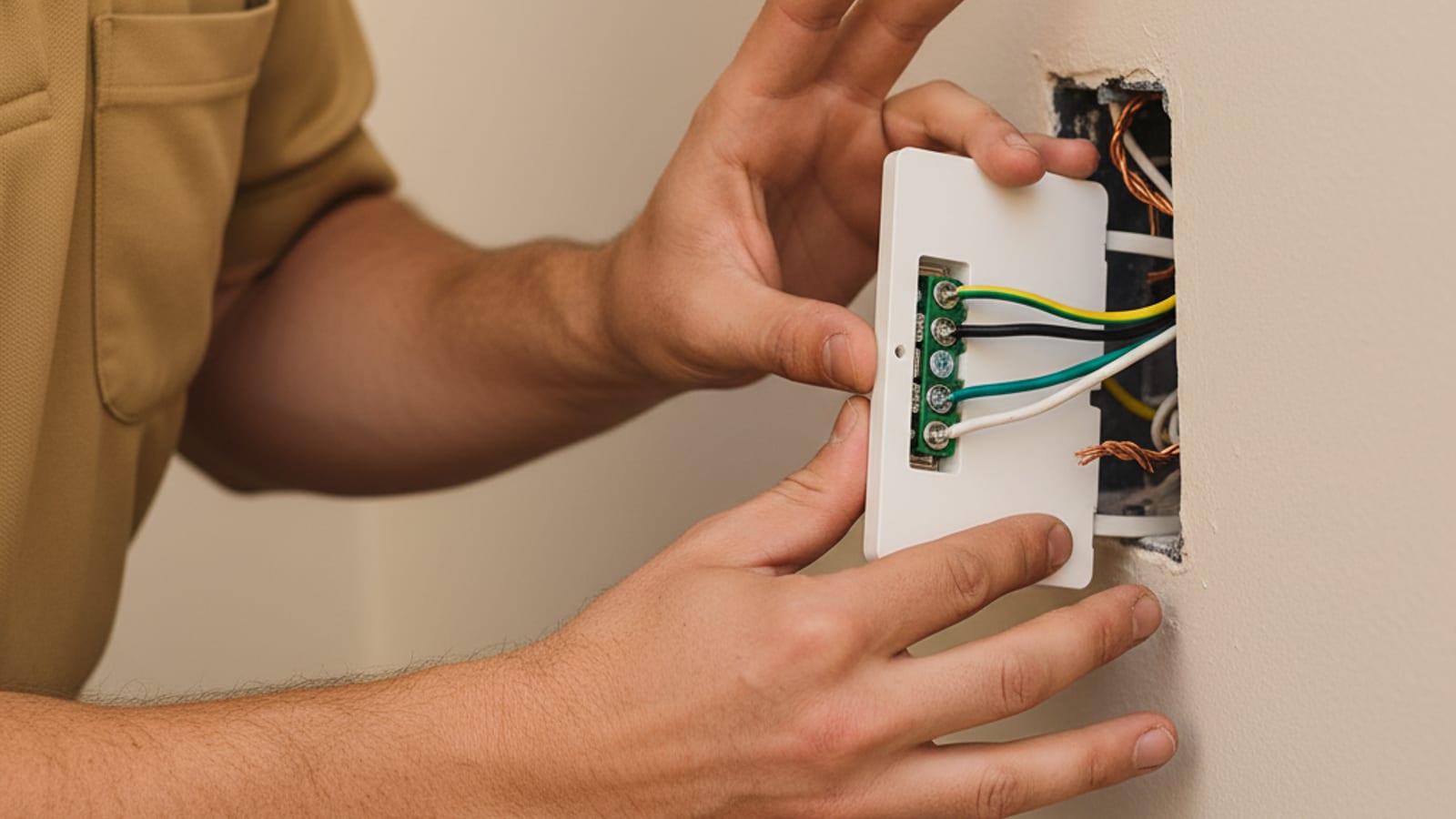
You bought a nice smart switch (Lutron Caseta, Leviton Decora Smart, TP-Link Kasa, Lutron Diva Smart). You watched the install video. You wired it the way the diagram showed. It either won’t power on, buzzes, or only works intermittently.
The most likely cause: your switch box doesn’t have a neutral wire.
Here’s why that matters, how to confirm it, and what your real options are.
Why do smart switches need a neutral wire?
A traditional “dumb” mechanical switch is just a metal interrupter. When you flip it, two terminals connect; flip it back, they disconnect. Power flows when the switch is on, no power when it’s off. The switch itself doesn’t need any electricity to do its job.
A smart switch is a small computer with a radio (Wi-Fi, Zigbee, Z-Wave, or Bluetooth) that has to stay powered 24/7, even when the load (the lights) is off. Otherwise, you couldn’t tell the switch to turn the lights back on remotely.
To stay powered, the switch needs both a hot wire (incoming line) and a neutral (return path back to the panel). That completes a low-current circuit through the switch’s internal power supply, separate from the high-current circuit that runs the lights.
Later NEC editions required a grounded conductor at many switch locations. That is an adopted-code question for the inspector, not a 2011 San Diego County rule. In older San Diego homes, especially 1960s to 1990s tract work, switch boxes were often wired with just a hot in, a switched hot out, and a ground. No neutral. The neutral lives at the fixture, not at the switch.
How do you check if your switch box has a neutral?
Do not pull the switch out of the box from this page. If you are not a qualified person, leave the device in place and match a licensed electrician to isolate the circuit and inspect the conductors. A missing neutral is a category you confirm in the box after that isolation, not a DIY diagnosis.
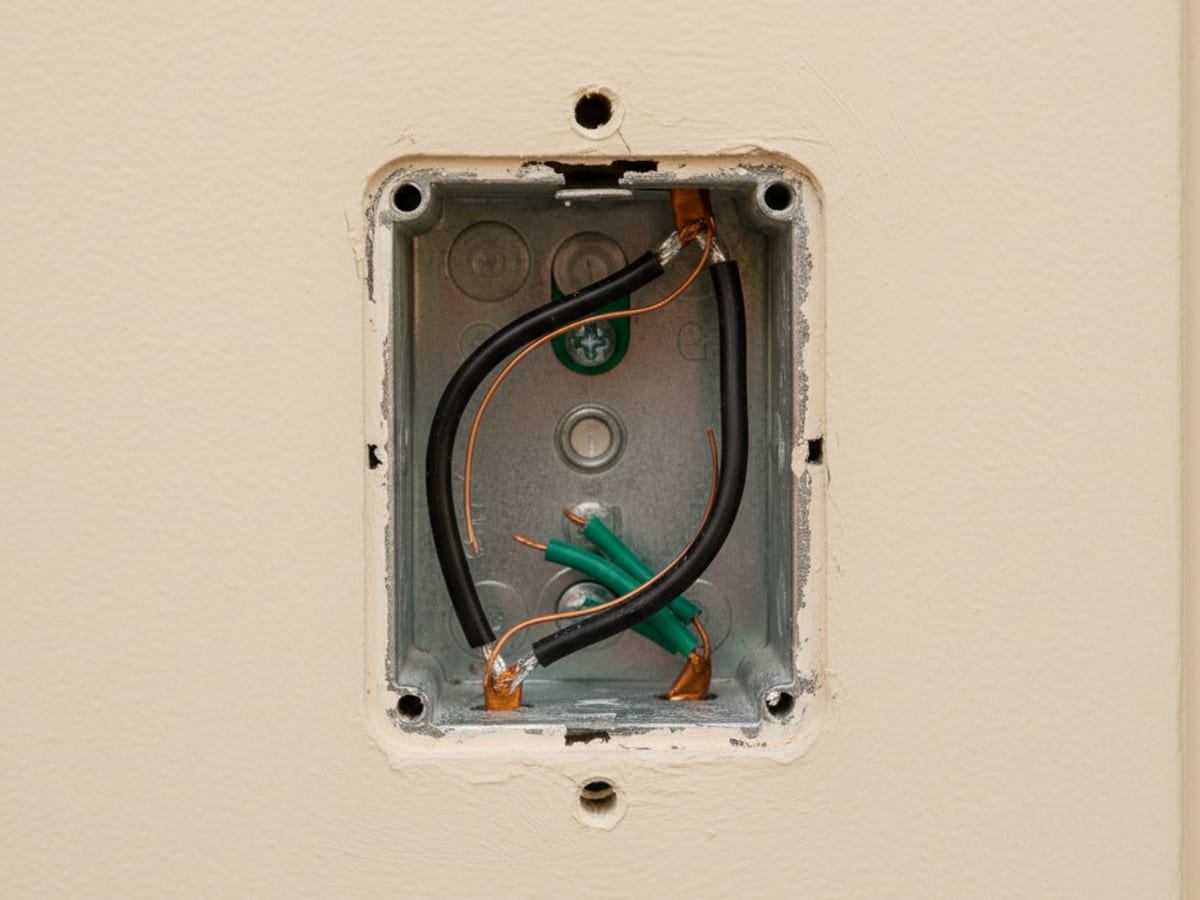
What they are looking for:
You want to see:
- One or two bundled white wires (capped together with a wire nut, or one of them attached to a specific terminal)
- Black wires (the hot and the switched hot)
- Green or bare wire (ground)
If you see white wires bundled together with a wire nut, you have a neutral. Smart switches will work.
If the only wires in the box are two blacks and a bare ground (no whites at all, or whites that are being used as switched hots, sometimes marked with black tape), you don’t have a neutral. Most smart switches won’t work without modification.
What are your options if there’s no neutral?
Option 1: Pull a neutral to the box
The right answer when you can. The pros we send open the wall, run a new conductor from the closest source of neutral (often a nearby outlet box or directly from the panel), terminate it properly at the switch, and patch the wall. The smart switch then works as designed.
Cost: $325–$675 per switch box depending on wall access and distance to a neutral source. Sometimes bundled cheaper if multiple boxes need the same fix during one visit.
Pros: Permanent, works with any smart switch, no tradeoffs, code-compliant. Cons: Drywall opening required (small, easily patched).
Option 2: Use a no-neutral-required smart switch
A handful of smart switches are specifically designed to work without a neutral, by leaking a tiny amount of current through the load (the lights) to keep themselves powered. The most reliable option:
Lutron Caseta (no-neutral version) works in any standard switch box without a neutral. The trade-off: slight glow or buzz with some LED bulbs (because of the leakage current). Most homeowners don’t notice. Some sensitive LEDs do.
Lutron Diva Smart (no-neutral version) is a newer entry, similar story.
Cost: Slightly more expensive than the standard versions of the same switches (~$10–$20 more per switch). No drywall work required.
Pros: No drywall work, easy install, reliable brand. Cons: Limited brand selection, some LED bulbs flicker or hum, slightly higher per-switch cost.
Option 3: Use smart bulbs instead of smart switches
Leave the existing switch as is, and replace the bulbs themselves with smart bulbs (Philips Hue, LIFX, Wiz). Each bulb has its own radio and connects directly to a hub or Wi-Fi.
Pros: No electrical work required, full color and dimming options, programmable scenes per bulb. Cons: More expensive per bulb than per switch ($25–$60 each vs. $40–$80 per switch). Switches must be left in the ON position permanently or the smart bulb loses power. Not ideal for fixtures with multiple bulbs (you pay per bulb).
Best for: a single accent light, a lamp, a fixture with one or two bulbs that you really want to control.
What about three-way switches?
Three-way switches (a hallway light controlled from two locations, a stairwell light controlled from top and bottom) add complexity. Lutron Caseta handles three-way without a special slave switch (the second location keeps the original mechanical switch). Most other smart switches need a matching companion smart switch at the second location, which roughly doubles the per-three-way cost.
If you have older 4-way switching (rare, three or more locations), the matched electrician scopes it after seeing the wiring.
When should you call an electrician?
If you’ve identified that your box has no neutral and you want it pulled, or if you just want a smart-switch system installed end-to-end without doing the diagnostic yourself, the electricians we connect you with handle this under our outlet and switch installation in San Diego service:
- Single-room smart switch installs (Lutron Caseta is the easiest)
- Whole-home Lutron RA3 systems (the next tier up: wired hub, scenes, integration with home automation)
- Pre-wire for Control4, Crestron, and Savant (electricians in our network do the line-voltage work, integrators handle programming)
If you are also adding a smart thermostat, keep HVAC equipment checks with an HVAC contractor. Switch-box work can sit on the same written electrical proposal. That is not Bright Pro opening the boxes, and it is not a same-visit guarantee.
Frequently asked questions
How do I know if my switch box has a neutral wire?
A licensed electrician isolates the circuit, then looks for white wires bundled together with a wire nut. If those are present, there is a neutral. If the only wires are two blacks and a bare ground, there is not. Do not pull the switch from the box as a homeowner check.
What’s the best smart switch for older homes without neutral wires?
Lutron Caseta’s no-neutral version is the most reliable option. It works in any standard switch box without a neutral and doesn’t require drywall work. The only trade-off is a slight glow or buzz with some LED bulbs.
How much does it cost to pull a neutral wire to a switch box?
Pulling a neutral costs $325 to $675 per switch box, depending on wall access and distance to the nearest neutral source. Multiple boxes fixed in one visit can be bundled for less per-box.
Will smart bulbs work as an alternative to smart switches?
Yes, but with trade-offs. Smart bulbs like Philips Hue connect directly to Wi-Fi or a hub, so no rewiring is needed. The downsides: they cost $25–$60 per bulb (vs. $40–$80 per switch), and you have to leave the physical switch in the ON position permanently or the bulb loses power.
Related guides
Upgrading switches often goes hand in hand with adding outlets. Our cost to add an outlet guide covers pricing for new receptacles, dedicated circuits, and two-prong upgrades. If you want dimming capability alongside smart control, see our guide on dimmer switch installation costs in San Diego, which covers LED compatibility and three-way setups. If you’re thinking about recessed lighting alongside your smart switches, our recessed lighting installation guide covers layout planning, dimmer compatibility, and costs.
See our full smart home and low-voltage wiring service page or get in touch to get matched with a licensed electrician.
Service across San Diego County.